Showing posts with label editing. Show all posts
Showing posts with label editing. Show all posts
Thursday, 6 February 2014
Progress - Editing
In today's lesson we continued doing the colourisation of our footage. Katy then had the idea to do a split screen for the London bikes jump cut scene. We did this by cropping and then adding colours to the shots. Toward the end of the video showing our process we discuss putting a boarder around each cropped shots to make it look more professional, we eventually worked out how to do this using the titles tools and drawing lines around the clips, this is fine as we are just working toward the rough cut, however, once we get onto final editing we will most likely find and use a different, better way to frame the clips.

Wednesday, 5 February 2014
Progress - Editing
Colourisation
Today we started to edit the colours on the clips to make them stand out more and be more visually interesting. We played around with the saturation to make the colours more vivid, however this made the artist skin tone slightly orange. We continued experimenting with the colours using the three-way colour correction tool until we settled upon what we thought looked natural but still bold and bright.
Here is an example of the difference the colourisation has made so far. The first video being the original footage and the second being the edited footage. Overall I am pleased with the difference this has made to the footage however I think we could still work to further enhance the colours, especially in scenes such as the skate park to make the graffiti far more vivid than it already is.
Today we started to edit the colours on the clips to make them stand out more and be more visually interesting. We played around with the saturation to make the colours more vivid, however this made the artist skin tone slightly orange. We continued experimenting with the colours using the three-way colour correction tool until we settled upon what we thought looked natural but still bold and bright.
Here is an example of the difference the colourisation has made so far. The first video being the original footage and the second being the edited footage. Overall I am pleased with the difference this has made to the footage however I think we could still work to further enhance the colours, especially in scenes such as the skate park to make the graffiti far more vivid than it already is.
Thursday, 23 January 2014
Progress

Today we continued editing the footage, moving into the song rather than the opening. It was difficult to find the first clip that we all agreed on as went weren't sure how make the transition between the opening to the main song work well. We finally decided to do more of an establishing shot of the London Eye panning to our artist, however, this still didn't seem to fit properly. Then Nicola had the idea to jump cut the shot so that it didn't linger as much and so would fit the song more. I feel that this worked really well. We also edited some singing to camera shots and filler location/ having fun shots.
Wednesday, 22 January 2014
Progress
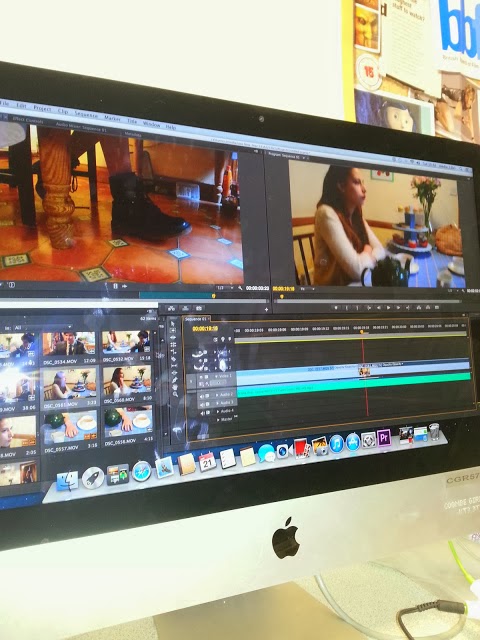
Yesterday we started editing our footage. We started by editing together the opening scene, however there were some issues with this as some of the shots weren't the right frame or lacked continuity so we are considering refilming this scene. But for now we've just edited together what we have in order to get a vague visual representation of our ideas.
Saturday, 5 October 2013
Pop Genre
Editing
The video for Roar by Katy Perry uses a lot of editing techniques and special effects. It is themed around the jungle and starts off with a cartoon - styled title which gives a sort of Tarzan-like feel to the video, as Katy Perry slowly becomes a sort of 'Jungle Jane'.
The editing pace at the beginning of the video is slightly slower than the rest of the video, this is probably to subtly reinforce the idea of her being frightened at the beginning. Although it is slower it is still quite quick, which is common for this genre of music video. The rhythm of editing follows the beat of the song and the specific lyrics.
The video also features a lot of special effects, for example, the fireflies, the wall paintings. Special effects such as these aren't necessarily specific to the genre, however, they do feature a lot in Katy Perry's music videos, e.g. Firework, in which it is made to look like fireworks are shooting out of her chest. There is also added glare from the light onto the camera which has been put on to enhance the natural feel to the video, this has also become more common in recent videos.
The final editing technique used is the brightening of the footage, the footage after the fireflies scene has been made lighter and brighter in order to create a more visually eye-catching image for the audience. This is typical of pop music videos.
The video for Roar by Katy Perry uses a lot of editing techniques and special effects. It is themed around the jungle and starts off with a cartoon - styled title which gives a sort of Tarzan-like feel to the video, as Katy Perry slowly becomes a sort of 'Jungle Jane'.
The editing pace at the beginning of the video is slightly slower than the rest of the video, this is probably to subtly reinforce the idea of her being frightened at the beginning. Although it is slower it is still quite quick, which is common for this genre of music video. The rhythm of editing follows the beat of the song and the specific lyrics.
The video also features a lot of special effects, for example, the fireflies, the wall paintings. Special effects such as these aren't necessarily specific to the genre, however, they do feature a lot in Katy Perry's music videos, e.g. Firework, in which it is made to look like fireworks are shooting out of her chest. There is also added glare from the light onto the camera which has been put on to enhance the natural feel to the video, this has also become more common in recent videos.
The final editing technique used is the brightening of the footage, the footage after the fireflies scene has been made lighter and brighter in order to create a more visually eye-catching image for the audience. This is typical of pop music videos.
Subscribe to:
Posts (Atom)